
Deploy and control
Console operations
Investigate queries, monitor proxy fleets, and connect CacheDB operations to identity, alerts, and metrics tools.
The CacheDB console brings proxy health, query context, cache activity, alerts, access controls, and audit history together. DBAs can investigate individual queries while monitoring teams follow fleet health and operational signals. Tenant views and controls stay scoped to the selected proxy target.
Understand traffic before changing policy
Review connection and query activity, backend errors, and response times. Transparent mode provides workload visibility while cache reads and writes are disabled, making it useful during initial evaluation and compatibility checks.
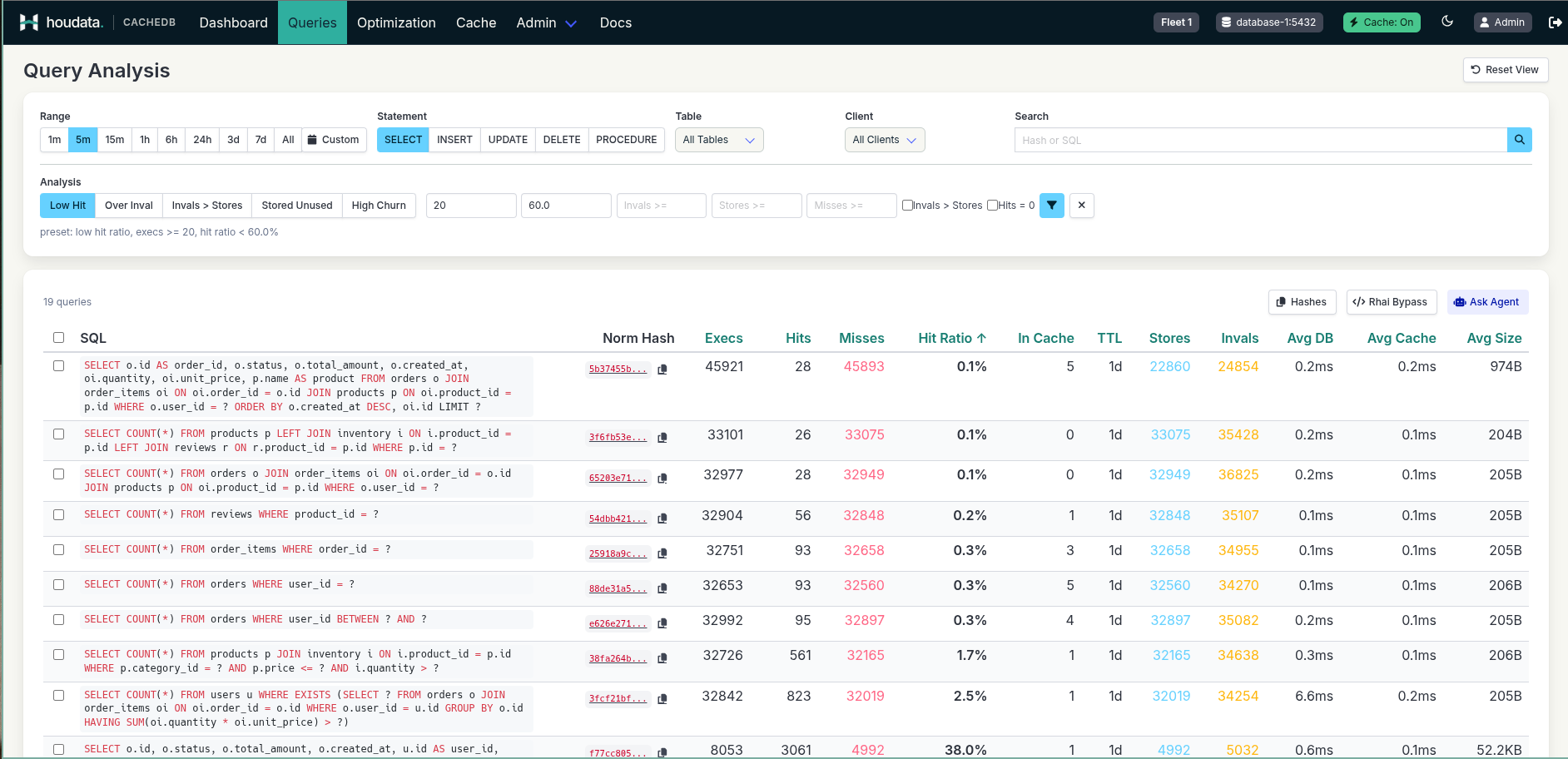
The query analysis list combines time, statement, table, client, and analysis filters with execution, hit, miss, invalidation, and latency columns. It helps teams locate the queries that need closer investigation.
Open a query’s detail view to compare executions by client and backend latency over time. When caching is enabled, the same view adds hits and misses, cache latency, additions, and invalidations. Relationships show which writes invalidate a cached read, or which cached reads a write invalidates, when the invalidation is tracked through table metadata. This helps explain changes in cache behavior before adjusting policy.
Operate target fleets
Select the tenant and proxy targets relevant to the task before reviewing metrics or changing settings. Apply changes deliberately and verify their effect on the selected fleet. Separate viewer, operator, and administrator responsibilities according to the team’s operating model.
Preserve operational evidence
Console alerts keep an active, acknowledged, and resolved history. Optional SMTP and HTTPS webhook channels can deliver notifications. Use audit history to review consequential actions. Protect and back up the console’s persistent state so tenant setup, access, alerts, and audit data survive replacement or recovery.
Connect monitoring tools
The console can expose a separate Prometheus exporter for operational metrics, including proxy and Redis health, cache hits and misses, script drift, and alert counts. Grafana can visualize these through its Prometheus data source without a CacheDB-specific plugin. Prometheus and Alertmanager can also evaluate their own rules; this path is independent of the console’s SMTP and webhook alerts.
The exporter reports operational metrics. Use the console’s query views for SQL and query-level investigation rather than expecting those details in Grafana.
Secure console access
Place the console behind a TLS-terminating reverse proxy or WAF, restrict network access, and apply request limits at the edge. Console sign-in can use OIDC single sign-on with group-to-role mappings for Viewer, Operator, and Administrator access. For configuration detail, contact us.